Dual Credit
Contact Card
Dual Credit
903-675-6394
DualCredit@tvcc.edu
How to Get Your Textbook List
Visit the TVCC Bookstore Website
The registration process will no longer provide a required textbook list for students. You will need to visit the TVCC Bookstore webpage to review your textbook requirements each semester.
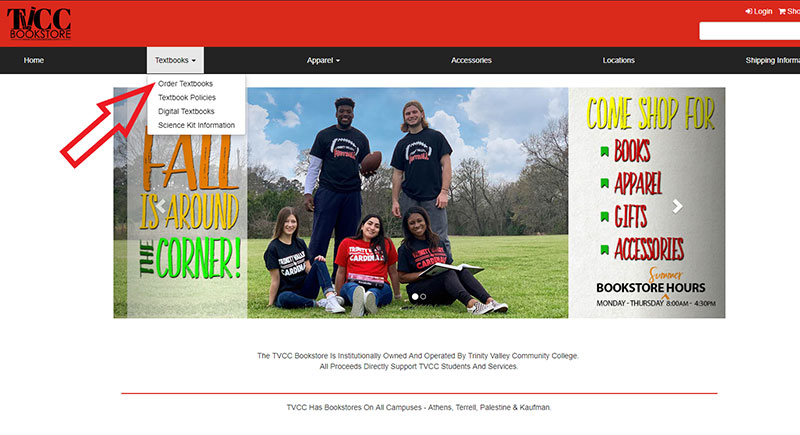
Once you arrive at the home page, select "Order Textbooks" from the "Textbook" menu at the top of the page towards the left.
Locate Textbooks by Course
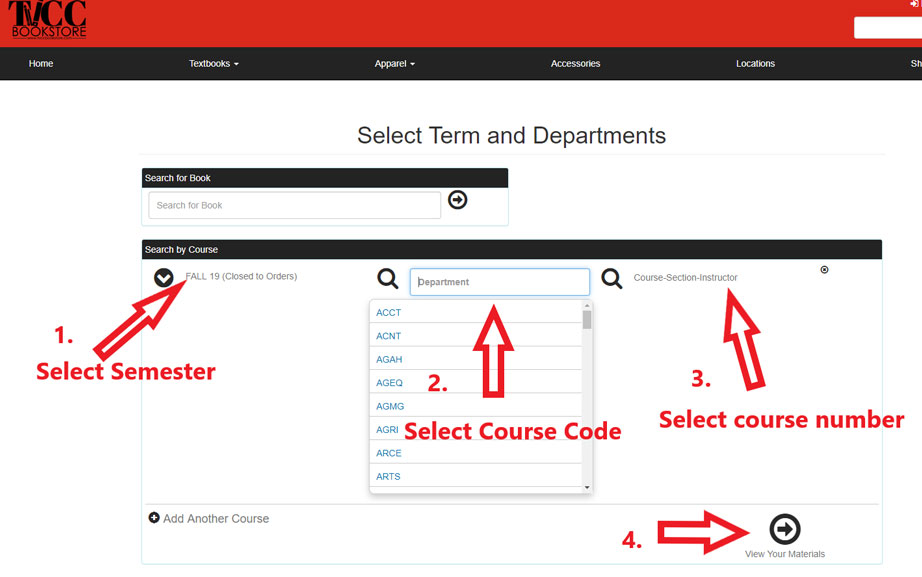
Choose your semester, then you can begin to look up your textbooks by:
- Course title abbreviation
- Course number
- Course section number
You can add several courses at once, before clicking the "View Your Materials" option at the bottom right of the page.
View, Print + Order Supplies
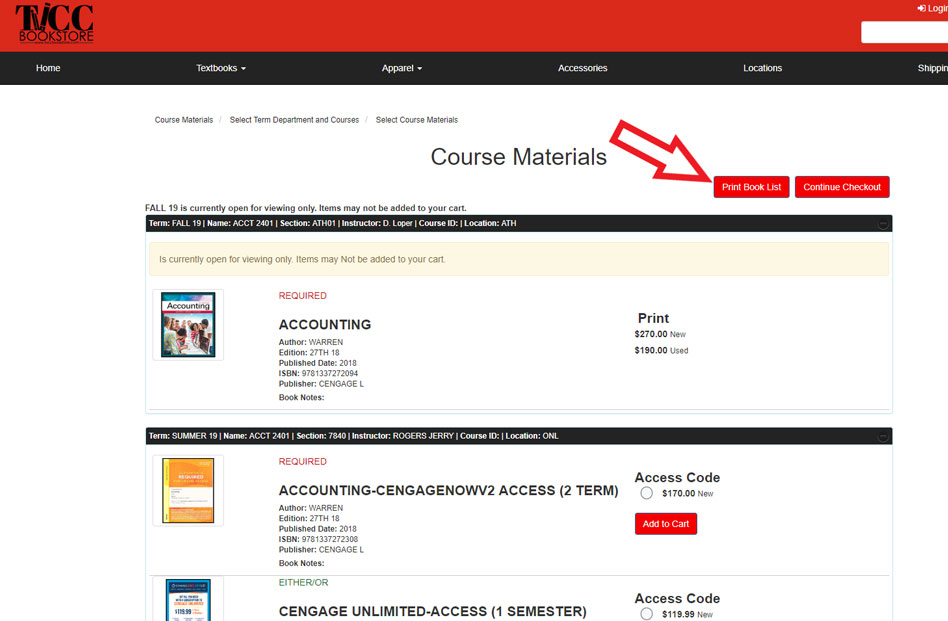
Once the site has generated your booklist, you can view the required materials for your coming semester. From this page you can print your booklist or continue with your order online.
TVCC's Bookstore now has the option for you to purchase online, and have them shipped to you. You can also pick your order up in person.